Guide contents
Short Answer: 2.0 Is a Workflow Question, Not Just a Download Question
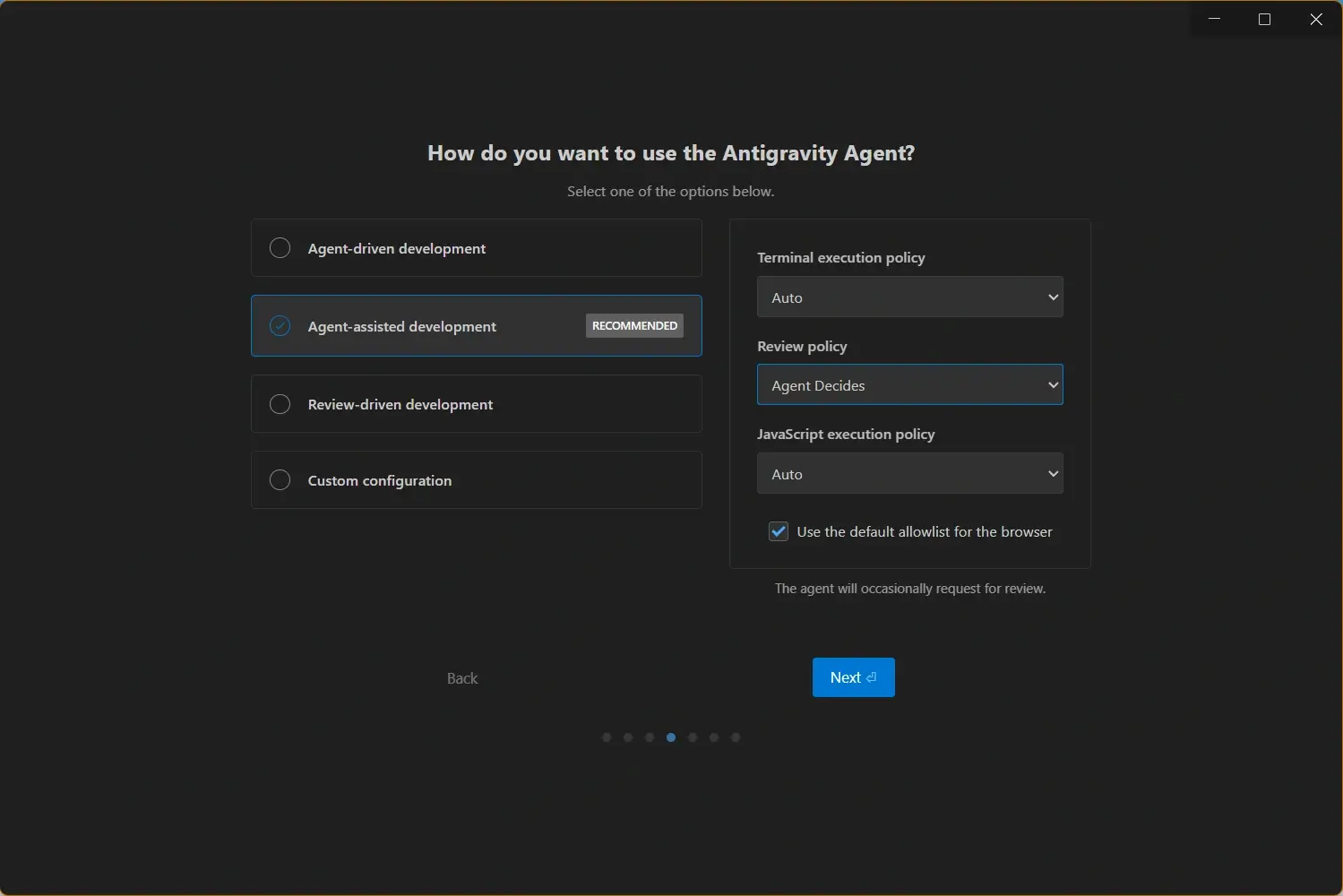
Searches such as Antigravity 2.0 vs Antigravity IDE usually come from users who are not sure whether they have the right product installed. The important distinction is practical: the IDE is the familiar development surface for opening projects, editing files, and using AI assistance inside a coding workspace. The newer 2.0 language is tied to the broader agent-first direction, where planning, execution, terminal work, browser checks, and review artifacts become more central to the experience.
That means the right choice depends on your work. If you need a stable editor for daily development, the Antigravity IDE pages on this site remain the safest starting point. If you want to test delegated multi-step work, stronger agent supervision, or a newer build that changes the way tasks are planned and reviewed, then reading the 2.0 notes and downloading the latest installer makes sense.
Do not judge the choice only by a version number. Check whether your operating system is supported, whether the official download page lists the build for your architecture, and whether your team is ready to review agent-generated changes with the same discipline used for any other code change.
Antigravity 2.0 vs Antigravity IDE: Main Differences
Use this table to decide whether the new 2.0 framing is relevant to your workflow or whether your current IDE installation already covers the task.
| Area | Antigravity 2.0 | Antigravity IDE | Best action |
|---|---|---|---|
| Product focus | Agent-first workflow with more emphasis on planning, execution, artifacts, and task review. | Editor-centered development environment for opening projects, editing code, and using AI assistance. | Use 2.0 when you want to test agent orchestration; use the IDE for normal coding. |
| User intent | Best for users asking what changed, whether the IDE was replaced, and how to use the new agent flow. | Best for users searching for a Windows, macOS, or Linux IDE download and install guide. | Match the download to your immediate job, not the most viral name. |
| Migration risk | May change habits around prompts, task boundaries, review evidence, and team policies. | Lower disruption if your current setup already opens projects and runs expected commands. | Pilot 2.0 on a branch before switching daily work. |
| Learning curve | Requires thinking in delegated tasks, plans, checkpoints, and verification. | Closer to a conventional IDE with AI coding help. | Choose IDE first if you are still learning the product. |
| Download path | Verify current availability from official release and download sources before installing. | Use platform-specific installer pages and system requirements to avoid wrong builds. | Always confirm the official source before replacing an install. |
Who Should Try Antigravity 2.0 First?
Try the newer 2.0 experience first when your work already depends on agents, not just autocomplete. The strongest use cases are feature work that spans several files, bug fixes that require command output, UI changes that need browser checks, or repository tasks where a final artifact helps you review what happened.
2.0 also makes sense for developers evaluating AI coding tools against Cursor, VS Code extensions, or command-line agents. In that situation you are not only asking whether code can be generated. You are asking whether the tool can plan a task, keep context, run checks, and make the review process easier.
- Multi-step features - Use 2.0 for work that needs planning, code changes, terminal checks, and a clear completion summary.
- Agent supervision - Use it when you want to inspect what the agent did instead of micromanaging every edit.
- Team pilots - Use it on a clean branch with explicit rules for files, commands, secrets, and review evidence.
- Current build testing - Use it when the official release notes mention fixes that affect your platform or sign-in flow.
When the Antigravity IDE Is Still the Better Choice
The IDE remains the more natural choice when your main goal is to install Antigravity and start coding. If you are opening a local repository, editing files, checking AI completions, or learning the product for the first time, a platform-specific IDE install is usually enough.
Staying with the IDE is also reasonable when your current setup is stable. A working environment has value: extensions are configured, terminal commands behave as expected, sign-in is complete, and your team already knows how to review changes. In that case, treat 2.0 as a pilot rather than an urgent replacement.
- First install - Start with the Windows, macOS, or Linux download guide if you do not have Antigravity installed yet.
- Daily edits - Keep the IDE for quick file edits, small refactors, and codebase reading.
- Stable projects - Avoid changing the tool in the middle of a deadline unless the new build fixes a real problem.
- Training users - Teach the editor workflow before asking teammates to supervise more autonomous agent tasks.
Upgrade Checklist Before Moving from IDE to 2.0
Before replacing an existing Antigravity installation, make the move reversible. The goal is to learn whether 2.0 improves your workflow without risking project state, credentials, or team delivery.
- Check the installed version - Open the About dialog or update prompt and write down the current build.
- Read the current release notes - Look for platform, sign-in, terminal, browser, model access, and installer changes.
- Use the right installer - Choose Windows x64 or ARM64, macOS Apple Silicon or Intel, or the correct Linux package route.
- Test on a branch - Run one real but reversible task and compare the diff, logs, screenshots, and cleanup cost.
- Keep rollback notes - Save the old installer path or documented reinstall route before standardizing across machines.
Safe rule
Upgrade when 2.0 improves a workflow you actually use. Do not replace a stable IDE only because the name sounds newer.
Decision Framework: Which One Should You Download?
The best decision is tied to your current task. A new user looking for Antigravity should begin with the normal platform download, then learn the IDE. A user already comfortable with the IDE can test 2.0 when agent workflows become the bottleneck.
For teams, the decision should include policy. Decide which repositories are safe for agent experiments, which commands can run automatically, and which evidence is required before a pull request is accepted.
| Situation | Recommended choice | Reason |
|---|---|---|
| You have never installed Antigravity | Antigravity IDE download | Platform install and system requirements matter before comparing workflows. |
| Your IDE works and you only need code editing | Stay on the IDE for now | A stable setup is better than an unnecessary migration. |
| You want agent planning and artifacts | Try Antigravity 2.0 | The newer framing is built around delegated work and review evidence. |
| Your team is evaluating AI coding tools | Run both on the same task | Compare accepted diff quality, validation evidence, and review time. |
| A release fixes your platform problem | Update to the latest available build | Compatibility and sign-in fixes are stronger reasons than marketing names. |
Official Sources and Related Antigravity Guides
Use official sources for live product and release information, then use the guides here to choose the right installer and upgrade path.
- Official Antigravity site - Google's live Antigravity product and download source
- Official Antigravity download - Current installer availability by platform
- Antigravity changelog guide - How to read release notes before updating
- Antigravity update guide - Practical update steps after choosing a build
- Antigravity vs Cursor - Compare Antigravity with another AI coding tool