
Comparison guide contents
Short Verdict: Antigravity Is an IDE Workspace, Claude Code Is a Terminal Agent
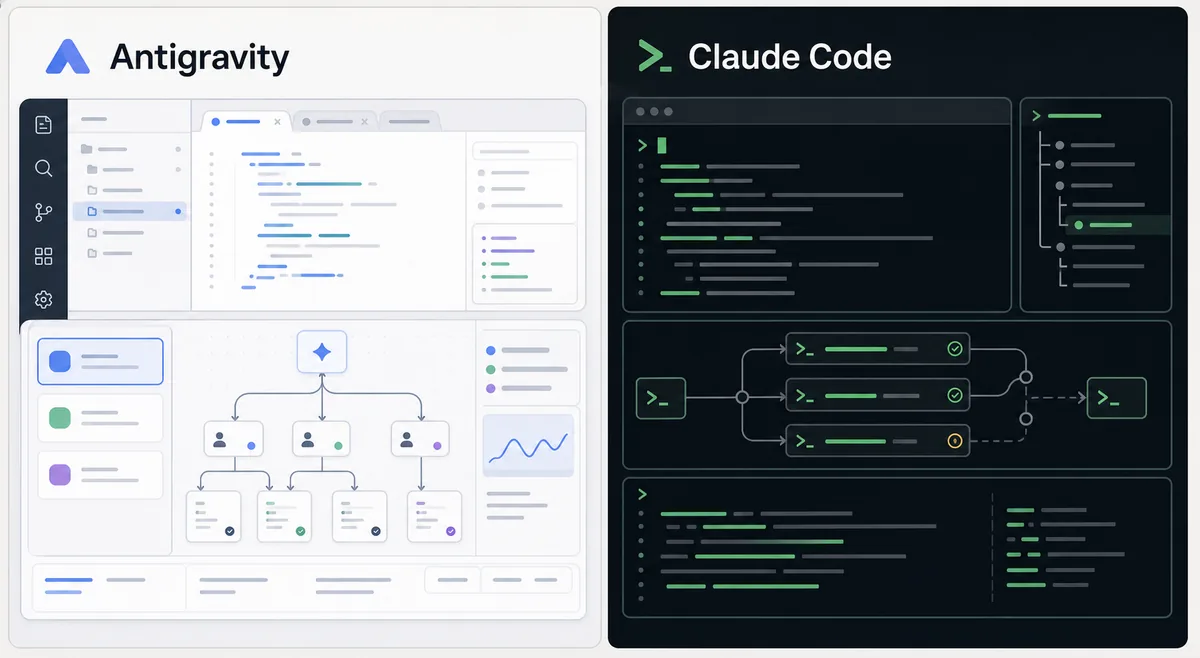
Google Antigravity vs Claude Code is a comparison between two different AI coding workflows. Antigravity is positioned as an agent-first IDE workspace: you open a project, supervise agents across editor-like surfaces, and review changes with visual context. Claude Code is built around a command-line coding agent that works from the terminal, reads a repository, edits files, runs commands, and explains the result.
Choose Antigravity if you want a visual development environment, project screenshots, onboarding that feels closer to an IDE, and a guided place to manage agent work. Choose Claude Code if your team already lives in terminals, wants scriptable workflows, and prefers a coding agent that fits into shells, CI-style checks, and existing editor habits.
The strongest answer for many developers is not replacement but separation of duties. Antigravity is easier to evaluate when the task benefits from a visual IDE surface and browser-style evidence. Claude Code is easier to adopt when the task can be described in a terminal session and verified with commands. The right choice depends on review discipline, not only model quality.
Feature Comparison: Google Antigravity vs Claude Code
Use this matrix to decide by workflow, not by brand. The same repository may benefit from both tools depending on whether the task is visual, terminal-heavy, exploratory, or automation-friendly.
| Area | Google Antigravity | Claude Code | Better fit |
|---|---|---|---|
| Primary interface | Visual IDE-style workspace with project views, agent surfaces, and screenshot-friendly review context. | Terminal-first coding agent that works inside command-line sessions and existing repository workflows. | Antigravity for visual supervision; Claude Code for terminal-native work. |
| Best task shape | Multi-step implementation where browser checks, screenshots, or project navigation help the reviewer. | Command-driven edits, refactors, tests, scripts, and repository investigations that can be validated from the shell. | Match the tool to the evidence your task needs. |
| Developer control | Good for supervised delegation inside a dedicated AI coding workspace. | Good for developers who want the agent close to Git, test commands, package managers, and local scripts. | Claude Code if terminal control matters most. |
| Onboarding | Feels familiar to developers who expect an editor-like surface and visual project context. | Feels natural to developers who already use terminal tooling heavily. | Antigravity for IDE-oriented users; Claude Code for CLI-oriented users. |
| Verification | Strong when rendered output, screenshots, and visual acceptance are part of the task. | Strong when tests, linters, shell commands, and text artifacts are enough to prove the change. | Use the tool that can produce the clearest proof. |
| Team governance | Requires workspace rules, allowed actions, and review standards for agent changes. | Requires terminal permission discipline, secret handling, command allowlists, and commit hygiene. | Both need explicit guardrails before broad rollout. |
When Antigravity Is the Better Choice
Antigravity is the better first choice when the task benefits from a visual workspace. UI fixes, web pages, rendered documentation, browser screenshots, and multi-step acceptance checks are easier to review when the agent can keep the work inside an IDE-like context.
It also fits developers who want a dedicated place for agent work instead of adding another terminal session to an existing editor. That separation can make review cleaner: the task, files, commands, screenshots, and final notes are easier to keep together.
- Visual review - Use it when screenshots, page layout, or visible product behavior matter.
- IDE-style onboarding - Helpful for developers who prefer project panes and guided surfaces over a pure terminal workflow.
- Agent supervision - Useful when you want to monitor a task through a dedicated AI coding workspace.
- Download evaluation - A good fit when trying an AI IDE without changing your whole terminal setup.
When Claude Code Is the Better Choice
Claude Code is the better choice when your workflow is already terminal-centered. It can inspect files, edit code, run commands, and return a concise explanation without requiring the team to move away from existing editors or shell habits.
It is especially practical for backend work, test repair, codebase investigation, script generation, and refactors where the acceptance signal is command output rather than a visual page. Teams that already have strong Git and CI discipline may find this easier to govern.
- Terminal-native work - Use it when tests, package scripts, Git, and local commands are the main workflow.
- Existing editor setup - Keep your current editor and add the coding agent where commands already run.
- Automation-friendly tasks - Good for repeatable tasks that can be described and verified in shell output.
- Repository analysis - Strong for reading code, tracing behavior, and making command-verified edits.
Workflow Test: How to Compare Them Fairly
Do not judge either tool from a generic demo. Use the same repository, the same branch policy, and the same acceptance criteria. A fair comparison asks: which tool gets to a reviewable diff faster, with fewer corrections, and with clearer evidence?
For a frontend page, ask both tools to make a small layout or content change and require desktop and mobile evidence. For a backend task, ask both tools to repair a failing test and explain the command output. For documentation, ask both to update a page and verify links, metadata, and generated output.
- Pick one bounded task - Avoid broad prompts. Use a bug fix, small page addition, test repair, or documentation update.
- Write acceptance criteria - Define commands, screenshots, files, or text checks that prove the task is done.
- Run both on separate branches - Keep diffs isolated so you can compare accepted output and review cost.
- Measure cleanup - Track how much manual correction was needed after the agent finished.
- Document guardrails - Record allowed commands, secret boundaries, and commit rules before team rollout.
Practical rule
Choose Antigravity when visual workspace evidence shortens review. Choose Claude Code when terminal evidence and existing shell workflows shorten review.
Decision Framework: Which Should You Use?
For personal use, start from your strongest workflow. If you already think in terminal commands, Claude Code may feel faster. If you want an AI coding environment that looks and behaves more like a workspace, Antigravity will be easier to explore.
For teams, the decision should be based on governance and proof. Define what the agent may edit, what commands it may run, how reviewers inspect evidence, and when a human must take over. The tool that makes review cheaper and safer is the better fit.
| Need | Recommended choice | Reason |
|---|---|---|
| Visual UI or web page work | Antigravity | The IDE-style surface and screenshot-friendly workflow are easier to review. |
| Terminal-first coding | Claude Code | It fits shell commands, package scripts, Git, and existing editor setups. |
| New AI IDE exploration | Antigravity | It gives a dedicated place to evaluate agent-first development. |
| Backend tests and scripts | Claude Code | Command output is usually the clearest acceptance evidence. |
| Mixed team workflow | Use both selectively | Route visual tasks to Antigravity and command-heavy tasks to Claude Code. |
Official Sources and Related Guides
Use official product pages for final capability, availability, and pricing checks because AI coding products change quickly.
- Download Antigravity - Use the latest local download guide before testing Antigravity on a real project.
- Antigravity system requirements - Check OS and hardware notes before comparing workflows.
- Antigravity vs Cursor - Compare Antigravity with another AI-first editor after reviewing Claude Code.
- Google Antigravity official site - Official Antigravity product and download source.
- Claude Code documentation - Official Anthropic documentation for Claude Code concepts and setup.

