Comparison guide contents
Short verdict: Antigravity and Windsurf optimize different workflows
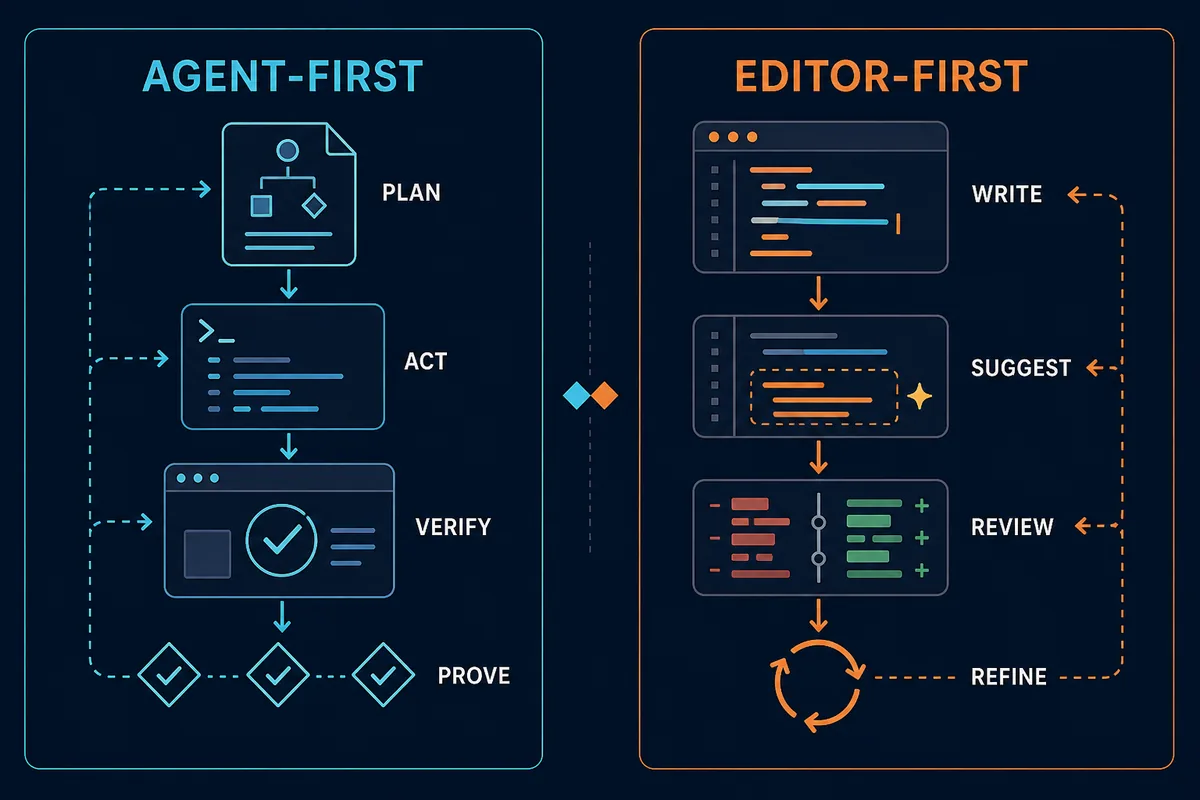
Antigravity vs Windsurf is not a simple speed contest. The useful distinction is where each product puts the developer's attention. Antigravity is positioned around agentic development: plan a task, let an agent work across the repository, run commands, inspect a browser result, and review evidence. Windsurf is better understood as an AI coding environment where the editor remains the main place to ask, change, and review code.
That difference affects onboarding and daily rhythm. An agent-first workspace can be compelling for cross-file changes, automation, and verification-heavy work, but it asks the team to define permissions and review artifacts. An editor-first tool can feel faster for a rename, test draft, explanation, or focused refactor because the developer stays close to the code and decides the next edit immediately.
There is no reliable universal winner without a shared task and a real repository. Use this page as a decision framework rather than a benchmark claim. The strongest comparison records not only generated output, but also setup friction, rejected suggestions, debugging time, evidence quality, and how confidently another developer can review the result.
Feature comparison: Antigravity vs Windsurf
Map each tool to the work you actually do. Product names, plan limits, and pricing can change, so verify live commercial details on the official pages before purchasing.
| Area | Antigravity | Windsurf | Better fit |
|---|---|---|---|
| Product center | Agent-first development workspace for planning, execution, terminal work, browser checks, and artifacts. | AI coding editor that keeps prompts, code context, and edits close to the development surface. | Antigravity for orchestration; Windsurf for editor-centered flow. |
| Small edits | Useful when a small edit is part of a larger task with commands or validation. | Convenient for focused refactors, explanations, test drafts, and inline changes. | Windsurf for frequent, narrow changes. |
| Multi-step work | Makes plans, agent actions, logs, and review artifacts part of the workflow. | Can support larger coding tasks while keeping the editor as the main control surface. | Antigravity when task coordination is the bottleneck. |
| Terminal and browser proof | A strong fit when command output, previews, screenshots, or browser behavior are acceptance evidence. | Can help produce and inspect code, but the exact verification loop depends more on your local setup. | Antigravity for explicit end-to-end verification. |
| Team adoption | Requires shared rules for agent permissions, artifacts, secrets, and acceptance checks. | Usually easier to introduce when the team already works in an AI-enabled editor pattern. | Windsurf for low-disruption adoption; pilot Antigravity for agent-first delivery. |
| Learning curve | You learn to supervise tasks, plans, evidence, and autonomous steps. | The editor model is familiar to developers coming from VS Code-style tools. | Windsurf starts faster; Antigravity may reward larger workflows. |
Who should use Antigravity?
Antigravity is the more interesting experiment when the task is larger than a single code edit. It can fit developers who want one place to define a goal, let an agent inspect a repository, run commands, open a preview, and return artifacts that explain what happened. Human review still matters; the difference is that review can focus on the plan, diff, logs, screenshots, and final behavior rather than every intermediate keystroke.
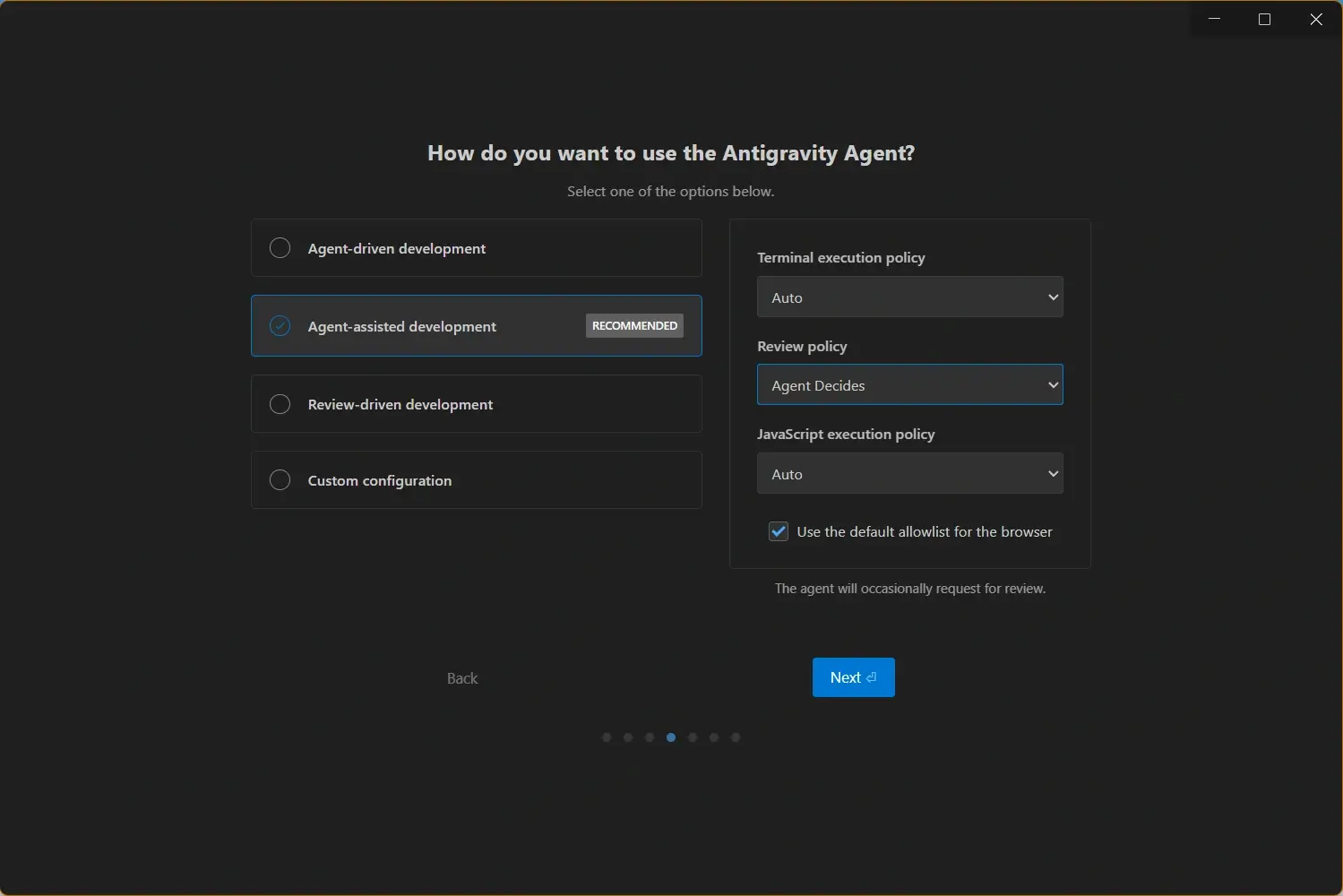
The trade-off is process. Agent-first work is easier to trust when the repository has clear boundaries: use a clean branch, protect secrets, restrict risky commands, and define what counts as proof. If your team is not ready to review agent behavior, Antigravity's broader surface can feel like extra ceremony.
- Repository-scale tasks - Good for features that span files, commands, tests, previews, and documentation.
- Verification-heavy delivery - Useful when browser behavior, screenshots, logs, or generated artifacts belong in the acceptance record.
- Agent supervision - Fits teams willing to define permissions, task boundaries, and review checkpoints.
- Google tooling interest - Worth testing if your workflow already uses Gemini models or Google developer services.
Who should use Windsurf?
Windsurf is a sensible first choice when you want AI assistance without moving away from the editor loop. The main question, code context, proposed change, and review can stay close together. That makes it practical for daily work such as explaining an unfamiliar file, renaming a symbol, drafting a test, updating a component, or iterating on a local UI.
An editor-first workflow does not mean large tasks are impossible. It means the developer may coordinate more of the sequence directly. That can be an advantage when you prefer small diffs, quick feedback, and explicit control over each step. It can be a limitation when the real bottleneck is running, checking, and documenting a long chain of actions.
- Fast local edits - Useful for focused changes where the developer wants immediate control over the diff.
- Codebase questions - A natural fit for explanations, context gathering, and targeted code generation.
- Gradual rollout - Easier to trial when a team wants AI help without redesigning delivery practices.
- Editor-first habits - Works well for developers who already think in files, tabs, diffs, and short feedback loops.
Migration checklist: test both tools on one task
Do not migrate an entire project because one demo looks impressive. A fair Antigravity vs Windsurf test uses the same repository, the same task description, and the same acceptance checks. Choose a reversible change such as a small feature, a UI fix, a failing test, or a documentation update. Avoid a production incident or a broad rewrite because the risk makes the comparison noisy.
The aim is not to crown a winner after one run. It is to learn which tool reduces total review cost for your team. Record the time to first useful change, the number of accepted and rejected edits, the work needed after the first run, and whether another developer can understand the evidence without repeating the task.
- Prepare a clean branch - Keep both trials reversible and make the starting commit identical.
- Write one task brief - Give both tools the same goal, constraints, files, and acceptance criteria.
- Require a proof record - Ask for tests, command output, screenshots, or a concise explanation of the changed behavior.
- Measure review cost - Track debugging, cleanup, rollback, and handoff time instead of generation speed alone.
- Decide by task type - Keeping both tools is reasonable when one wins local edits and the other wins orchestration.
Practical rule
The better AI coding tool is the one that reduces accepted review time on your repository. A fast diff is not a win if it creates more debugging, uncertainty, or rollback work.
Version and source freshness checked before publishing
This site is also a software download site, so the comparison was prepared only after checking the official Antigravity download and changelog pages on August 22, 2026. The verified official listing was Antigravity 2.0 v2.9.1 and CLI v1.1.17, with the page record dated August 20, 2026. Older v2.8.1 and CLI v1.1.14 references in related pages were synchronized before this article was added.
The official installer URLs checked for this update returned 404 when tested as permanent file links. The page therefore points readers to the official download page rather than inventing a stable binary URL, file size, or safety claim. Windsurf pricing and product availability can also change, so use its official pages for current plan details instead of relying on a copied number in a comparison table.
Decision framework: which one should you pick?
If you are an individual developer, start with the bottleneck you feel every day. Choose Windsurf when the cost is repetitive editing, context switching, or explaining code. Choose Antigravity when the cost is coordinating multiple steps, running checks, opening previews, and proving that a change works. The product that sounds more advanced is not automatically the product that saves time.
For teams, include governance in the decision. Define which files agents may edit, which commands they may run, how secrets are isolated, how generated changes are reviewed, and what evidence is required before merge. A small Antigravity pilot and a controlled Windsurf trial can produce better evidence than a company-wide switch based on a feature list.
| Your need | Recommended choice | Why |
|---|---|---|
| Closest to a familiar AI editor | Windsurf | The workflow stays close to files, prompts, diffs, and developer-led edits. |
| Agent command center | Antigravity | Planning, execution, artifacts, and verification are central to the experience. |
| Small edits and refactors | Windsurf | The feedback loop is short and the developer can review each change immediately. |
| Terminal and browser evidence | Antigravity | It is a better fit when end-to-end proof is part of the task definition. |
| Low-disruption team trial | Windsurf first, then an Antigravity pilot | Start with the familiar loop and test agent-first delivery on bounded, reversible work. |
Official sources, downloads, and related guides
Use official product pages for live claims and the related Antigravity guides for installation, version, and workflow context.
- Antigravity official download - Current official source for desktop installers and download instructions.
- Antigravity official changelog - Check release notes and current product version information.
- Windsurf official site - Official product and editor information.
- Windsurf official pricing - Verify current plan names, limits, and commercial terms.
- Download Antigravity for Windows - Check the local download page and current official-source fallback.
- Antigravity system requirements - Review platform compatibility before comparing workflows.
- Antigravity vs Cursor - Compare Antigravity with another editor-centered AI coding workflow.
- Antigravity CLI guide - Explore terminal commands and the current CLI verification notes.
- Antigravity Agent Manager guide - Learn how agent management fits into the broader workflow.