What makes an Antigravity prompt work
Antigravity prompts work when they turn a broad intention into an observable task. “Make the app better” gives an agent no useful boundary. “Find why the invoice total is rounded twice, change only the calculation path, add one regression test, and show the diff” gives it a target, a scope, and a stopping point. The same principle applies whether you use the desktop surface, Antigravity CLI, or a workflow that calls several tools.
This page explains how Antigravity prompts become reusable examples. The Antigravity Workflows guide covers repeatable processes, permissions, and checkpoints; the Antigravity CLI guide covers installation and command behavior. Keep those boundaries clear so a prompt does not become a hidden request to change configuration, run a release, or rewrite an unrelated module.
Treat a response as a proposal until you inspect the files, commands, and evidence it names. A concise prompt with a visible acceptance test is more useful than a long prompt that describes every possible feature. Put stable project rules in the repository or a reviewed settings file, then keep the current task prompt focused on the decision the agent must make.
The four-part prompt frame
A reliable Antigravity prompt can be written as four short blocks: goal, context, constraints, and evidence. These Antigravity prompts stay readable because each block has one job. You do not need to label every block in a casual question, but writing them explicitly helps when the task touches code, credentials, external tools, or several files. The frame also makes a failed response easier to repair because you can see which block was missing.
The goal should be a verb and an object: diagnose a failing parser, add a route, compare two APIs, or explain a test. Context answers where the work lives and what is already known. Constraints say what must stay unchanged, which commands are allowed, and whether the agent may write files. Evidence is the final proof, such as a focused test, a rendered page, or a short explanation of remaining uncertainty.
Keep the acceptance test realistic. Asking for “zero bugs” is not testable in one prompt. Asking for the named test to pass, a 404 response to become 200, or a table to contain the expected row is testable. When the agent cannot run a command, ask it to say so and provide the exact command for a human to run.
Goal
Start with the smallest useful result: identify, plan, patch, explain, test, or review.
Context
Name the working directory, relevant files, framework, error, expected behavior, and any authoritative reference.
Constraints
Set the edit boundary, forbidden actions, dependency policy, security limits, and stop condition.
Evidence
Specify the command, diff, screenshot, output sample, or unresolved question that proves the result.
Planning and project-understanding prompts
Use planning prompts before a large edit or an unfamiliar repository. These Antigravity prompts ask the agent to inspect the actual tree and cite the files it used. A good plan is a map, not a speculative rewrite: it names the smallest set of files, the risks, and the check that will tell you whether the plan is sound.
Ask for unknowns explicitly. If the repository has more than one build command, authentication path, or locale source, the agent should list the alternatives and say which one it verified. This prevents a common failure mode in which a plausible README or a guessed framework becomes the basis for every later edit.
After reviewing the plan, start a new prompt for implementation or tell the agent exactly which part of the plan to execute. Separating inspection from writing leaves a useful checkpoint and makes it easier to reject scope creep.
01. Map the repository
Inspect this repository without editing files. Identify the framework, entry point, build command, test command, configuration sources, and the three files most likely to control [behavior]. Cite each path and list anything you could not verify.Why it helps: It asks for facts and paths before an implementation begins.
02. Turn a request into a plan
Create a five-step implementation plan for [goal]. Limit the change to [allowed paths]. For each step, name the expected output and one check. Call out assumptions, dependencies, and a safe rollback point. Do not write files yet.Why it helps: It produces a reviewable sequence with a clear boundary.
03. Find the right owner
Trace how [input or route] becomes [observed output]. Start at the public entry point, follow the relevant function or template, and stop when you reach the source of truth. Return a short call graph with file paths and say which file should own a fix.Why it helps: It reduces edits to the module that actually owns the behavior.
15 practical Antigravity prompt templates
The following Antigravity prompts are deliberately short. Replace bracketed values, remove steps that do not apply, and add a real command or expected output. They cover the main jobs people search for when they need the best prompts for Antigravity: understanding a project, making a focused change, debugging, testing, reviewing, and documenting a result.
Repository map
Inspect the project tree and summarize the runtime, entry point, build, test, and deployment paths.
Use before touching an unfamiliar codebase.Requirements split
Rewrite this request as must-have behavior, out-of-scope behavior, open questions, and acceptance checks: [request].
Use when a ticket mixes goals and ideas.Minimal design
Propose the smallest design that satisfies [goal]. Compare two options and explain the cost of each before choosing one.
Use before adding an abstraction.Focused implementation
Implement [behavior] in [paths]. Preserve existing APIs and styles. Show changed files and stop after the focused test.
Use for a bounded patch.Safe refactor
Find duplication in [module]. Suggest a refactor, list behavior that must stay identical, then change only after the plan is approved.
Use when cleanup could alter behavior.Reproduce a bug
Reproduce [error] with the smallest input. Record the command, stack or response, and the first incorrect value before proposing a fix.
Use when a report lacks a reliable reproduction.Debug a regression
Compare the failing path with the last known good behavior. Identify one likely cause, test it, and report evidence before editing.
Use for prompts for debugging Antigravity work.Regression test
Add one test for [bug]. Make it fail for the old behavior, pass for the fix, and avoid unrelated fixtures or broad snapshots.
Use to keep a bug fix durable.Test triage
Run the narrowest relevant test for [change]. Separate product failure, test failure, environment failure, and missing dependency.
Use when a red test has several possible causes.Code review
Review this diff for correctness, security, compatibility, and missing tests. Report findings by severity with file and line evidence.
Use before accepting generated changes.Migration checklist
Plan a migration from [old] to [new]. Include data shape, compatibility window, rollback, and a post-migration verification query.
Use for changes with state or consumers.Documentation update
Read the implementation and update only the documentation that is now inaccurate. Quote the changed behavior and keep examples runnable.
Use after behavior changes.Performance probe
Measure [operation] with a small repeatable sample. Identify the bottleneck, baseline, and one low-risk improvement; do not optimize by guesswork.
Use before a performance edit.Release review
Check the proposed release for version, changelog, build output, tests, links, and rollback notes. List blockers and evidence.
Use before publishing a build.Explain the result
Explain what changed, why it changed, how it was verified, and what remains uncertain in five concise bullets with file paths.
Use for a handoff another person can audit.Coding and debugging prompt examples
A coding prompt should protect the existing behavior before it asks for a new behavior. These Antigravity prompts name the files that may change, the API or markup that must remain stable, and the test that exercises the requested path. If the agent finds a second issue, ask it to record that issue rather than silently fixing it in the same patch.
For debugging, require a reproduction before a theory. Include the exact input, command, response, or screenshot that proves the failure. Then ask for one hypothesis and one narrow check. This avoids a long list of speculative fixes and gives you a clear reason to reject a patch that changes unrelated code.
When a prompt needs a code block, keep the block small and identify where it belongs. Ask the agent to show a diff or the complete replacement only when the surrounding context is short. After the change, ask for the test result and the files that were not changed but were considered.
04. Implement with a stop rule
In [file], add [behavior]. Keep the public function signature and current error messages unchanged. Add or update the smallest focused test. Run only [command], show the diff, and stop before committing.Why it helps: It prevents a useful patch from turning into an unrequested refactor.
05. Debug from evidence
Reproduce this failure: [command/input and observed output]. Inspect the relevant code, state one hypothesis, and run one check that could disprove it. Only then propose a minimal patch and a regression test.Why it helps: It makes the reasoning falsifiable instead of speculative.
06. Review generated code
Review the current diff as a maintainer. Check behavior, edge cases, security, accessibility, localization, and tests. Return findings first, ordered by severity, and do not edit files.Why it helps: It creates an independent review pass before acceptance.
07. Repair a failed attempt
The previous attempt failed with [error]. Read the current files and the failure output. Preserve working changes, identify the exact mismatch, and make the smallest repair. Re-run [focused check] and report any remaining uncertainty.Why it helps: It keeps recovery grounded in the current state rather than repeating a stale patch.
CLI, files, media, and subagent prompts
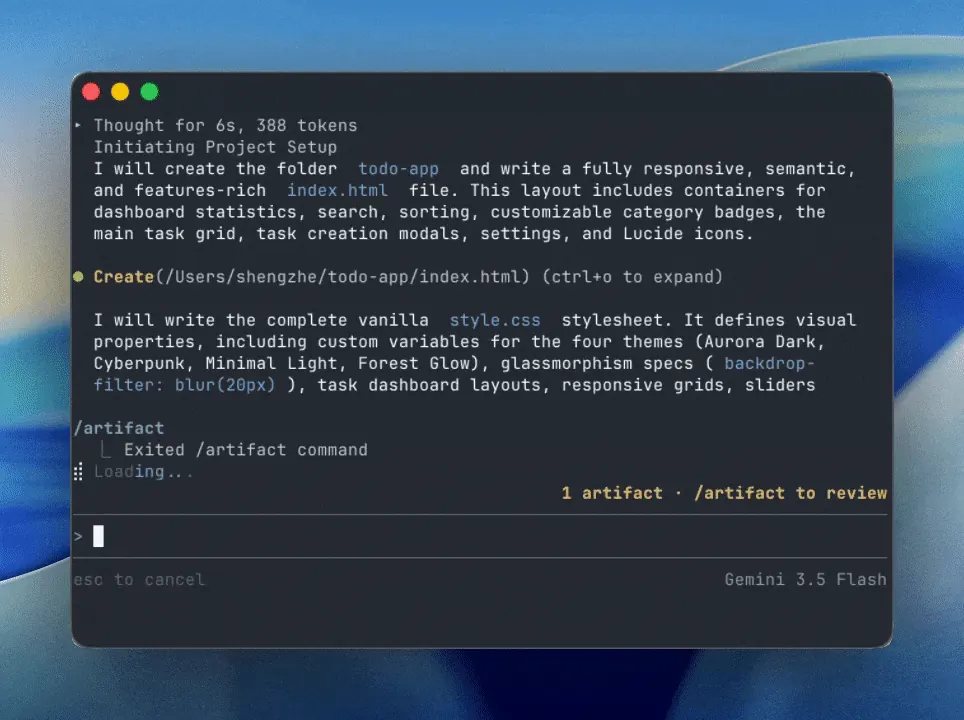
Antigravity prompts for the CLI have an extra input concern: a terminal session may contain multiline text, file references, or pasted media. Use the official prompting documentation for the current key bindings and submission behavior. In the prompt itself, say whether a file is evidence to read, a file to edit, or an example that must not be copied.
A file mention is not permission to scan the whole machine. Give the smallest directory or file set that answers the question. When a task needs a screenshot, log, or diagram, describe what the agent should extract from it and what it should ignore. Do not paste secrets, cookies, private keys, or production data into a prompt or an artifact.
Subagents are useful for independent checks, such as asking one pass to inspect tests while another reviews the diff. Keep their roles separate and require a short report with evidence. The parent task should decide which report to trust and should not merge contradictory changes automatically.
Verification, permissions, and prompt limits
A prompt is complete when a person can decide whether its result is acceptable. Antigravity prompts should ask for the exact check, its output, and the environment in which it ran. A passing test can still miss a broken link, a wrong locale, or a dangerous permission change, so match the evidence to the risk rather than relying on one green command.
Keep permissions narrow while you learn a workflow. A prompt may ask the agent to explain a shell command, but that does not mean it should execute a destructive command or read outside the workspace. Require approval before writes, network calls, credential use, migrations, or release actions. The safest prompt says what to do when access is unavailable: stop, explain the missing evidence, and wait.
Long prompts also have limits. Repeated instructions, unrelated logs, and copied documentation can hide the acceptance test. Summarize stable rules in a project file, link to an authoritative source, and keep the active prompt about the current decision. When a response fails, rewrite the missing block instead of adding more prose.
- Check the right layer. Pair unit tests with the relevant route, rendered HTML, permission check, or user-visible output when the change crosses layers.
- Keep writes explicit. Name allowed paths and require a diff before accepting changes; never treat a prompt as blanket approval for a repository.
- Protect private data. Redact secrets and personal data from prompts, logs, screenshots, and generated artifacts.
- Stop on missing evidence. Ask the agent to report what it could not inspect instead of filling the gap with an assumption.
- Record recovery. When a prompt fails, keep the error, the attempted fix, and the new check so the next run starts from facts.
Antigravity prompts FAQ
What are the best prompts for Antigravity?
The best prompt is the one that states a single outcome, gives grounded context, limits the files and actions, and names evidence. Start with the repository map, focused implementation, debugging, test triage, and code review templates on this page, then adapt their placeholders to your project.
How should I start an Antigravity coding prompt?
Start with the goal and the exact repository or file. Add the current behavior, expected behavior, constraints, and the focused test or output that will prove the change. Ask for a plan first when the codebase or risk is unfamiliar.
How do I write prompts for debugging Antigravity work?
Include the smallest reproduction, observed output, expected output, and environment. Ask for one hypothesis and one check before a patch. This keeps the diagnosis tied to evidence and makes a wrong theory easy to discard.
Can an Antigravity prompt edit several files?
It can, but list the allowed paths and explain why each file is needed. Ask for a file-by-file diff and a focused check. If the agent discovers another useful change, record it as a follow-up instead of expanding the current scope silently.
What should I include when using Antigravity CLI prompts?
Follow the current official CLI prompting guide for multiline composition, file references, and media input. In your task text, say which files are context, which are editable, and what the pasted image or log should prove. Never include secrets or private credentials.
Why did my Antigravity prompt produce a vague answer?
Usually the goal, context, or acceptance test was missing. Rewrite the prompt with one concrete output, cite the relevant paths or error, and ask for a short evidence report. More background text is less useful than a sharper boundary.
Should I put permanent instructions in every prompt?
Keep stable project rules in reviewed repository documentation or the appropriate settings surface. Repeat only the constraint that matters to the current task, such as allowed files or approval before network access, so the active prompt stays readable.
Are these Antigravity prompts official system prompts?
No. They are editorial examples for planning, coding, debugging, testing, and review. The official Antigravity documentation remains the source of truth for current product behavior, CLI controls, and supported integrations.
Sources checked
- Antigravity CLI prompting documentation — Official reference for the prompt box, multiline composition, files, subagents, and media input.
- Antigravity CLI guide — Site guide for installation, commands, settings, and terminal troubleshooting.
- Antigravity Workflows — Site guide for repeatable tasks, checkpoints, permission boundaries, and verified outputs.
- Antigravity prompt research repository — A community repository reviewed for prompt phases and artifact vocabulary; it is not treated as an official system-prompt source.