What Antigravity Workflows Are
Antigravity workflows are repeatable ways to move from a development goal to a checked result. Antigravity workflows may use the editor, terminal, browser control, a Skill, an MCP server, or several surfaces together. Antigravity workflows are more than a prompt: they include the starting state, allowed actions, pause points, and evidence that proves completion.
The best workflows are narrow enough to test. “Improve this project” has no finish line. “Read the failing test, change only the parser, run the focused test, show the diff, and stop before committing” has a clear output and a safe stopping point. Use the CLI guide for command syntax, the Skills guide for packaging, and MCP guides for external tools; this page connects those surfaces into one decision process.
Prepare the Workspace Before Running a Workflow
Open the intended repository, confirm the branch, and check the files expected to change. Run a needed terminal command manually once so you know its name, exit code, and environment. For browser or MCP work, test a read-only request before allowing a write.
Write the input and output in plain language. Include the target file or domain, allowed tools, limits, and the point where a person decides. Keep passwords, tokens, payment data, and private records outside workflow text and logs. Use a test branch or disposable folder for the first run.
| Surface | Best first use | Check before expanding |
|---|---|---|
| Editor | Read -> plan -> edit -> inspect diff | Confirm target files and keep the first patch small. |
| Terminal | Run one known command and capture its result | Check PATH, shell policy, exit code, and write scope. |
| Browser / MCP | Read one public record or test endpoint | Confirm domain, account, timeout, and a manual stop. |
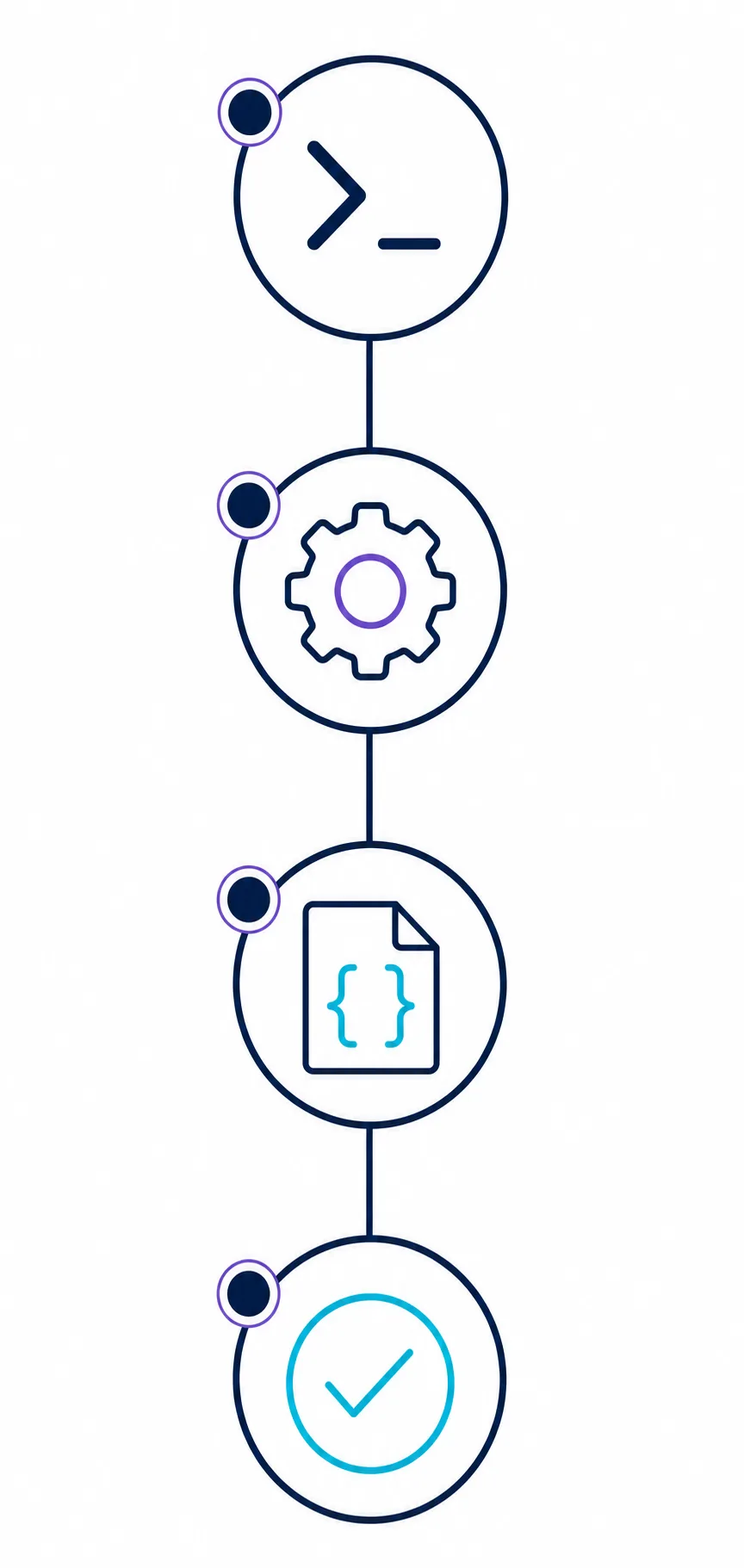
- 1. Freeze the starting stateRecord repository, branch, version, and the files or account context the workflow may touch.
- 2. Define one outputChoose one artifact, test result, page state, or report so failure is visible.
- 3. Rehearse read-onlyInspect and explain the path before editing files, sending data, or changing an account.
- 4. Add a checkpointPause before dependency changes, network writes, publish, delete, or deployment.
This guide does not claim a fixed workflow file format or permanent command flag. Check official documentation before automating a new integration.
Useful Workflow Prompts and Commands
A workflow prompt should state the role, starting context, permitted actions, and expected evidence. A useful shape is: “In this repository, inspect X, plan the smallest change, edit only Y, run Z, show the result, and stop before W.” Ask the agent to report the exact command or tool it used.
Keep interactive commands and shell commands distinct. A CLI help command, a session command, a terminal test, and an MCP call have different scopes and failure modes. Name the surface in the workflow.
inspect -> plan -> confirmUse three stages
Require inspection and a short plan before an edit; confirm the file list.
run one focused checkPrefer narrow validation
Run the smallest test, linter, preview, or URL check that can disprove the change.
show diff and statusMake changes visible
Return changed files, a diff summary, exit code, and generated output.
stop at approvalCreate a human checkpoint
Pause before publish, deploy, delete, account change, install, or messaging.
retry once with evidenceBound retries
Capture a timeout and retry only once with an explicit changed assumption.
return artifact pathPoint to the output
A report, screenshot, test log, or built page path makes the check reproducible.
Scope, Permissions, and Workflow Settings
Workflow safety comes from scope more than one toggle. Keep project commands close to the repository, personal preferences separate, and tool permissions explicit. Read-only file access is different from writing; a test is different from an installer; a public page check is different from an authenticated mutation.
When you package a tested sequence as a Skill, include prerequisites, inputs, expected outputs, failure handling, and verification. Do not hide a broad shell command or network write behind a friendly name.
workflow:
  goal: "update one parser and prove the focused test passes"
  allowed: [read_files, edit_target, run_focused_test]
  review_before: [install_package, network_write, delete, publish]
output: [diff_summary, test_result, remaining_risks]- Project scope — Use repository-local instructions for commands and file boundaries teammates can reproduce.
- User scope — Keep personal model, terminal, and display preferences out of shared behavior.
- Tool scope — Name the exact MCP server, browser domain, or shell command instead of a wildcard.
- Review scope — List actions that always require a person, even when earlier steps are automatic.
Repeatable Antigravity Workflows in Five Passes
Pass one is discovery: read the relevant files, page, issue, or test output and repeat the goal. Pass two is planning: propose the smallest change and name the tools. Stop if the plan misunderstands the request.
Pass three is execution. Pass four runs a focused check and compares output with the acceptance rule. Pass five reports changed paths, evidence, unresolved risks, and the next manual decision. This separation works for content builds, CLI tasks, browser checks, and MCP research.
Discover
Read context and state the goal, constraints, and unknowns.
Plan and execute
Approve a small action list, then run only named tools and files.
Verify and hand off
Check output, record evidence and risks, and stop before the next high-impact decision.
Keep Workflows Fresh When Antigravity Changes
Agent products evolve. A command, permission, model, or integration output can change after an update. Review a workflow after an Antigravity update, model change, shell change, or new MCP server; a successful run last month does not prove today's run is safe.
Record the date, build or documentation page checked, and the step verified. If current behavior cannot be confirmed, keep the workflow read-only or manual until the uncertainty is resolved.
Security Rules for Agent Workflows
Treat a workflow as a permissions document. Review which files it may read, commands it can run, external domains it can reach, and side effects it may cause before sharing or installing it.
Check command arguments, working directory, network access, package scripts, environment variables, and delete or publish paths. Keep secrets out of prompts and logs, use a test account, and revoke permissions when finished.
- Keep passwords, API keys, recovery codes, and customer data outside workflow text and evidence.
- Review package installation, uploads, webhooks, and external messages manually.
- Use a dedicated browser profile or test account for authenticated flows.
- Keep destructive file and git operations outside the automatic path.
- Share prerequisites and a rollback plan with the person who will run the workflow.
Troubleshoot a Workflow That Fails
Reduce a failure to the smallest pass that still fails. Compare the starting state, exact tool call, visible output, and acceptance rule before changing permissions.
The agent makes a different plan
Restate the target file, output, and stop condition. Ask for a plan only, then correct the boundary.
A command cannot be found
Run it in a normal terminal, check PATH and shell policy, and record the installed version.
The tool returns partial data
Save the response, mark missing fields, and stop. Retry only when a transient error is clear.
The result looks plausible but is wrong
Compare final URL, file path, test output, or status with the acceptance rule. Treat stale or partial output as failure.
Permissions keep appearing
Check whether command, path, account, or tool changed. Narrow the rule instead of granting a wildcard.
FAQ - Antigravity Workflows
What are Antigravity workflows?
They are repeatable sequences that connect a bounded development goal to a checked result. They define the starting context, allowed tools, checkpoints, output, and stop or rollback rule.
How do I create safe Antigravity workflows?
Start with one repository and one output. Write the goal, target, allowed actions, manual checkpoints, and acceptance test. Rehearse read-only work, then permit the smallest edit or command and inspect the result. This keeps antigravity workflows predictable when you share them with a team.
Should I use a Skill, CLI, or MCP server?
Use a Skill for reusable instructions and checks, the CLI for a terminal entry point, and MCP when the workflow needs a named external tool or data source. A workflow may combine them, but each surface needs a clear purpose and scope.
Can Antigravity workflows run commands automatically?
They can when current product and permission settings allow it. Limit automatic execution to known low-risk commands and review arguments, network access, installs, deletes, publishing, and account changes manually.
How do I test a workflow before sharing it?
Run it in a disposable folder or test branch with a clean status. Confirm prerequisites, record commands and tool calls, check the expected output, and try one failure case before sharing the rollback plan.
Why did a workflow stop after an update?
Updates can change command names, permissions, model access, UI locations, or integration output. Recheck official documentation, installed build, and the smallest read-only step before restoring automation.
What evidence should a workflow return?
Return changed paths or final URL, command or tool status, focused test result, and unresolved risks. Never return passwords, tokens, private data, or an unredacted session transcript.
Official and Related Antigravity Sources
- Google Antigravity 2.0 product page — Official product context and terminology.
- Google Antigravity CLI product page — Official CLI surface reference.
- Antigravity Skills guide — Package a tested process as a reusable Skill.
- Antigravity Auto Accept safety guide — Review command and permission boundaries.